
Employee Communication App for Frontline Retail Teams
Reach every shift, not just head office. A live feed, store chat and targeted messaging that get to the people on the floor — and show you who actually saw it.
Trusted by 10,000+ global users










One platform for operational and company communication

Company

Manager

Staff
Live feed
Make sure your message reaches every employee
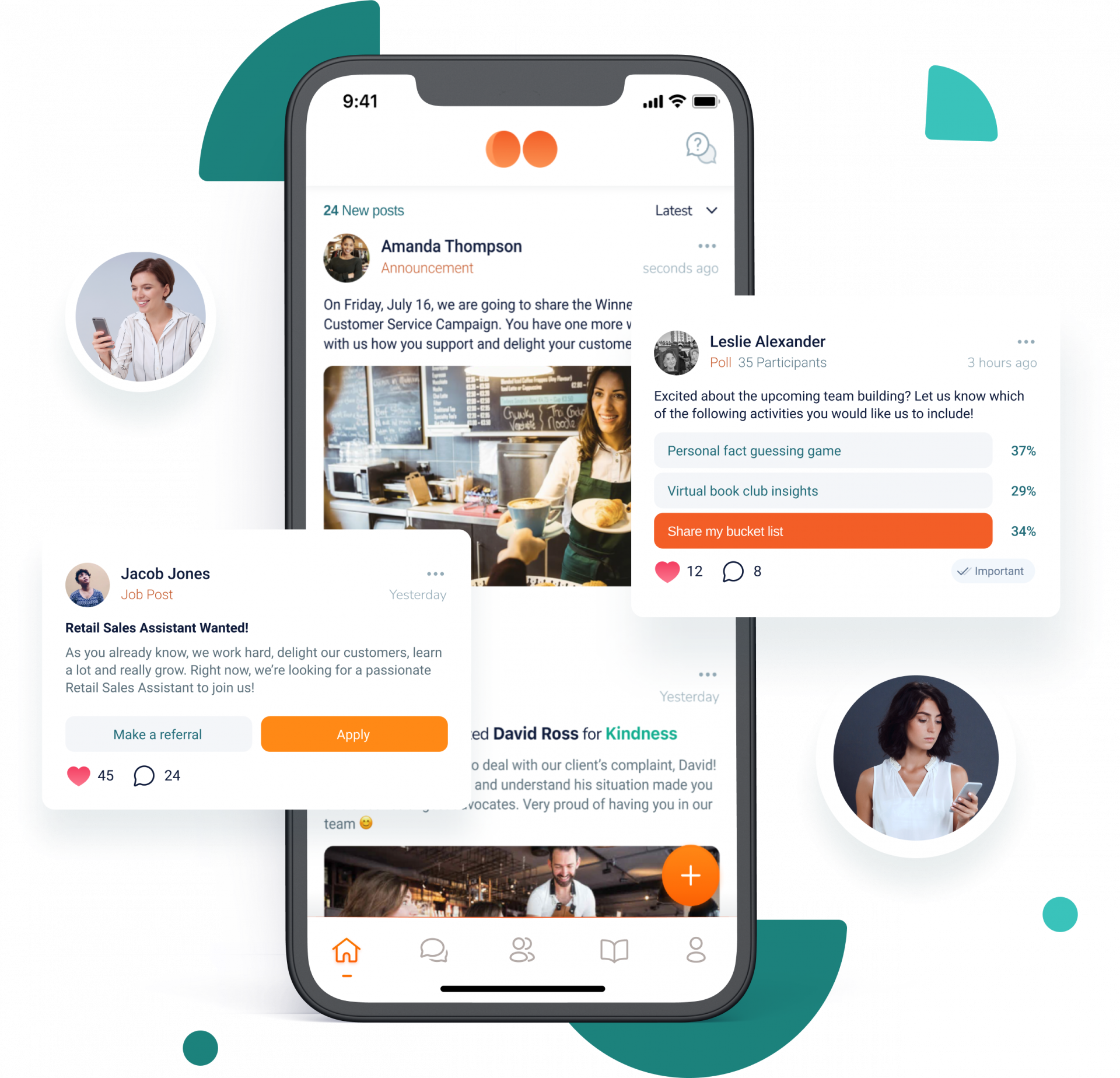
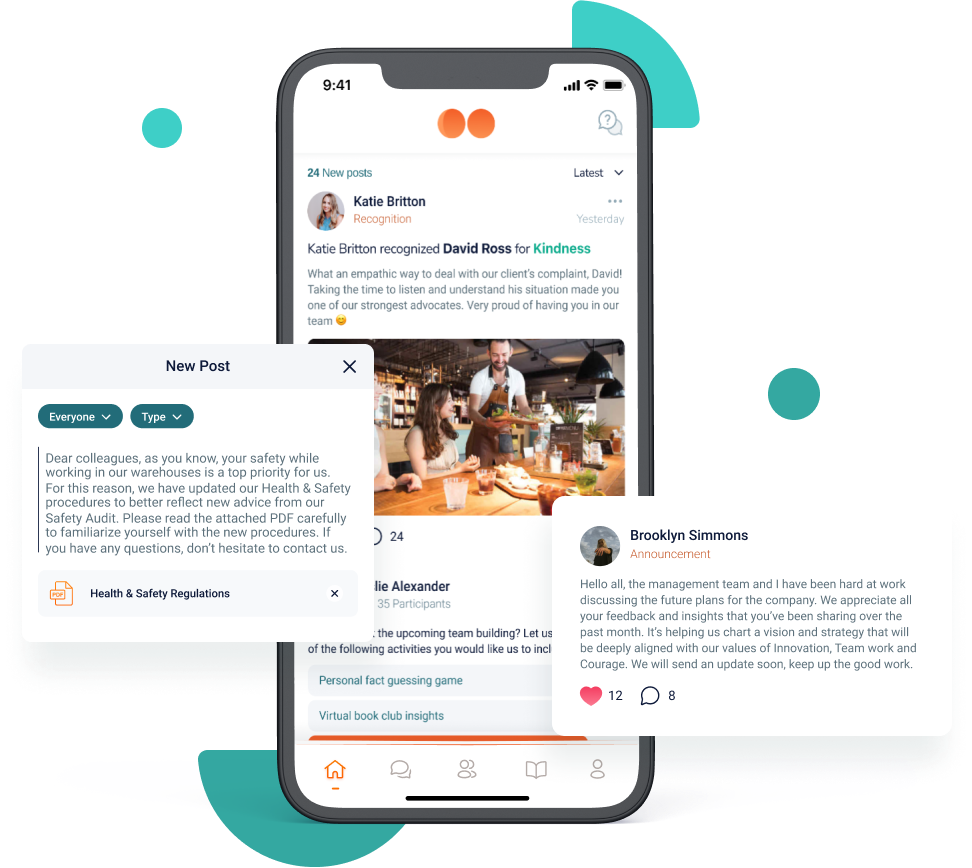
Share company news, management updates, campaign launches and operational priorities through a live, personalised feed. Staff confirm they’ve read it at the touch of a button, so you know a message landed rather than hoping it did.
Chat
Store chat built for how shifts actually work
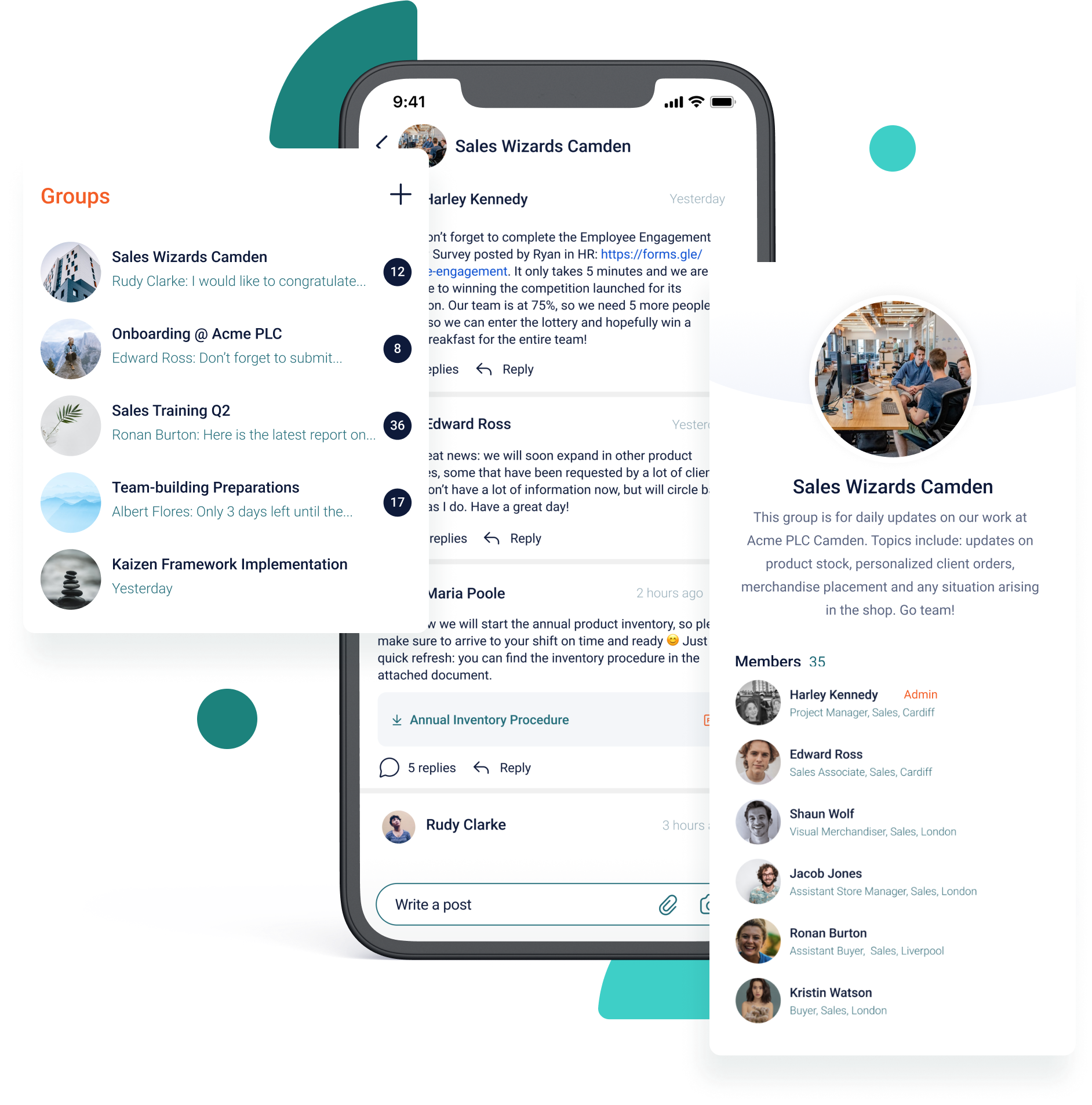
Chat groups for a store, a region, a department or a project, so conversations stay with the people they concern.
WhatsApp wasn’t built for running a multi-site business. There’s no record when someone leaves, no way to see whether a message reached a store, and personal numbers end up carrying operational instructions. Chat keeps the speed and gives you the structure.
Targeted audiences
The right message to the right stores
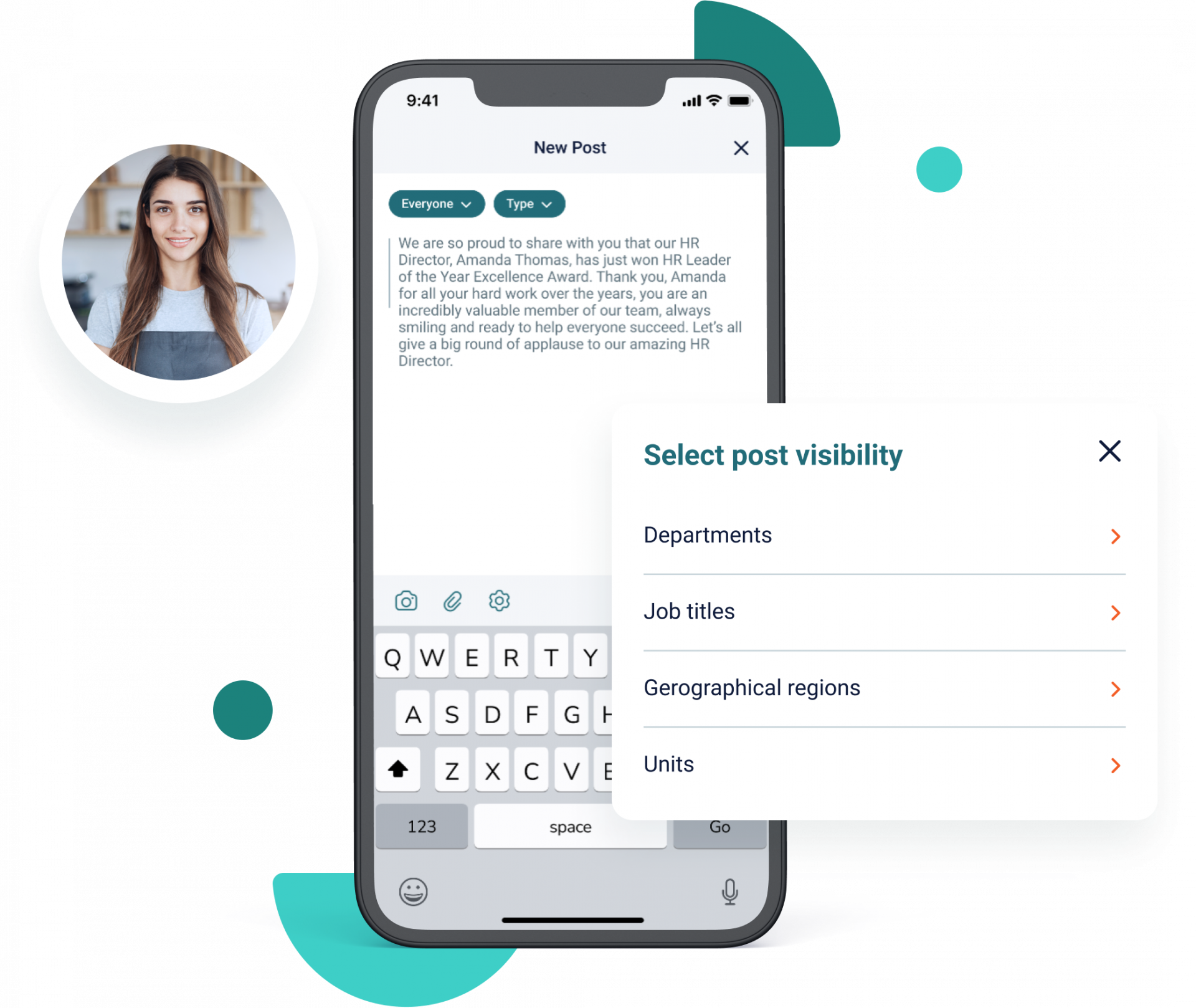
Reach all your staff or target specific stores with personalized communications. Easily narrow down your audience by job roles, departments, geographic regions or business units, to make sure employees get the content that matters most to them.
Recognition & rewards
Recognition that reaches the floor, not just the review
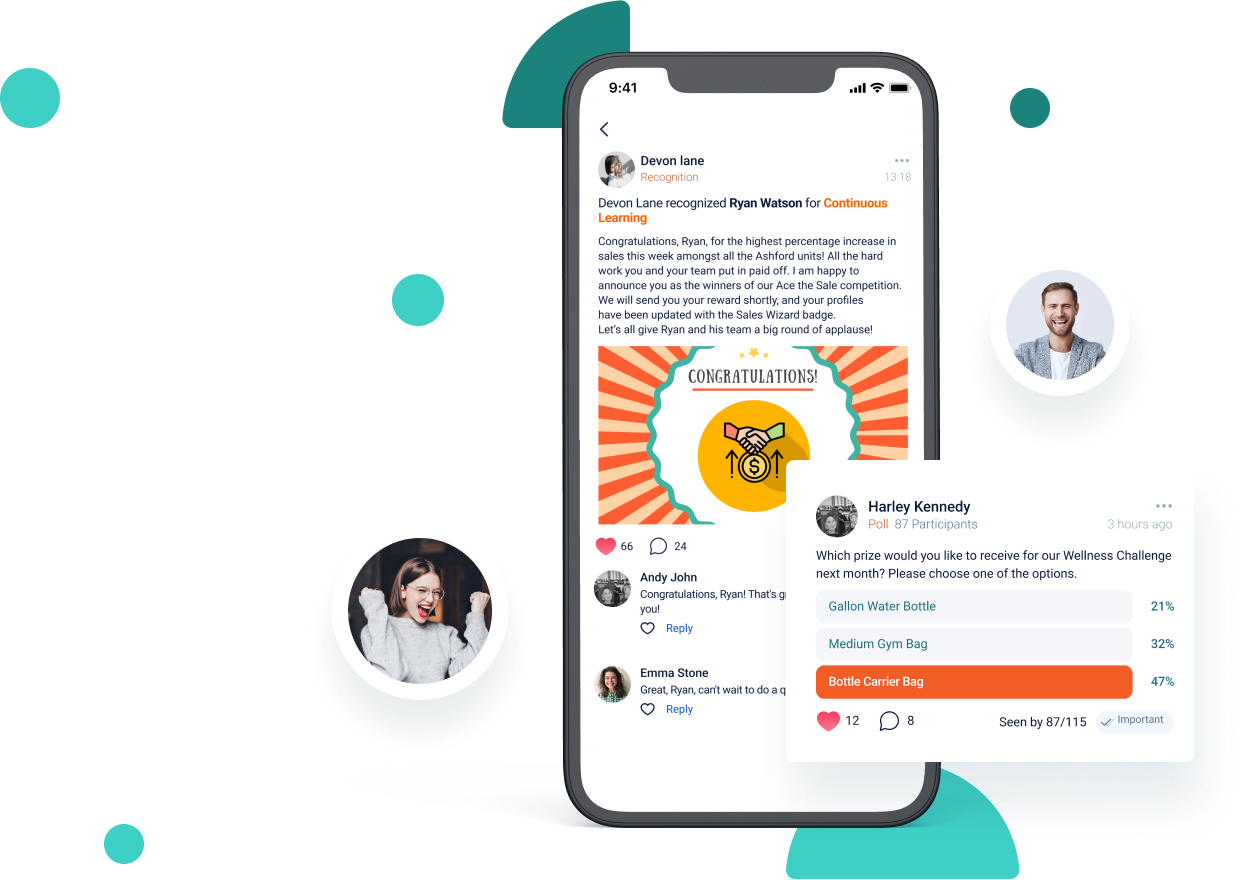
Peer-to-peer recognition tied to your company values, so good work gets seen by the team rather than noted in an appraisal six months later. Badges and gamified participation turn company initiatives into something people take part in.
Reward programmes can be tied to engagement, sales, operational priorities or simply great work, and because recognition sits in the same feed as everything else, it’s visible to the whole store rather than private between a manager and one person.
Analytics
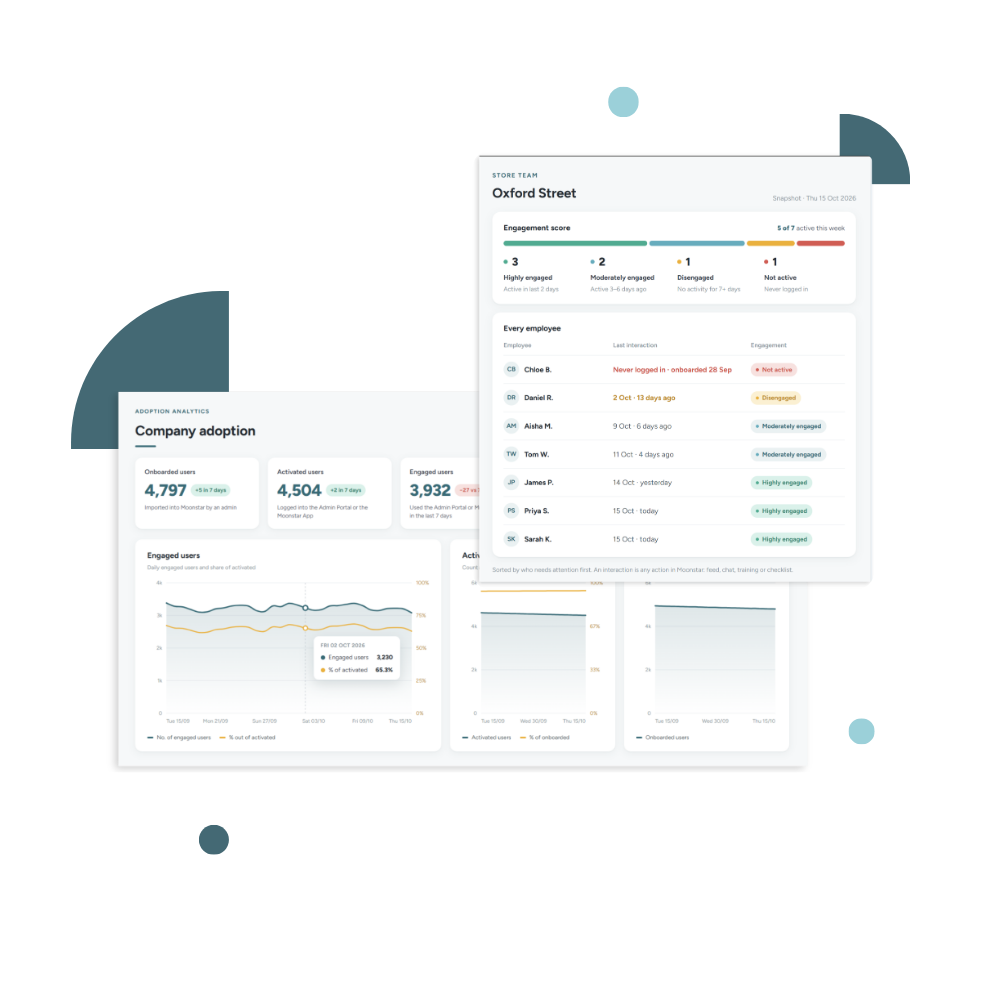
Proof your teams are actually using it
The risk with any frontline rollout isn’t the software — it’s whether people open it. Moonstar shows you adoption at every level, so you find the store that never got going before it becomes a renewal conversation.
See what our customers have to say about Moonstar
“Moonstar acts as a communication platform for sharing achievements, company news, staff news and interacting with staff individually, as groups and departments… Great for getting a real-time idea of employee happiness and engagement and easier for management to communicate effectively.”
Abigail TanChief Executive Officer, St Giles Hotel Group
Employee communication, connected to engagement, learning and execution





Frequently Asked Questions
An employee communication app delivers company and operational messages to staff on their own mobile devices, rather than through email, noticeboards or a desktop intranet. It typically includes a news feed, group chat, targeted messaging by role or location, and reporting on who has read what. It suits businesses where most employees don’t have a company email address or a desk.
Retail communication is how a business gets information to and from its store teams — operational priorities, promotions, procedure changes, safety notices and feedback from the floor. It differs from office communication because store employees work in shifts, rarely have company email, and can’t stop serving customers to read a long message. That’s why retail communication works best in short, targeted, mobile-first formats with confirmation that the message was received.
WhatsApp has no record once an employee leaves, no way to confirm a message reached a specific store, and it puts operational instructions on personal phone numbers. A dedicated employee communication app keeps conversations tied to roles and locations rather than individuals, shows you who has read what, and leaves the company owning the record.
Moonstar reports adoption at three levels: who has been onboarded onto the platform, who has activated their account and started using it, and when each employee was last active. Unit managers see this for their own team and administrators see it across the estate, so you can tell which stores have taken it up and which haven’t — rather than relying on a single platform-wide engagement figure.
Yes. Messages can be targeted by job role, department, geographic region or business unit, so a promotion affecting twelve stores reaches those twelve. Targeting matters more in retail than in an office, because a feed full of irrelevant messages is the fastest way to lose the audience you spent months onboarding.
Yes. Moonstar is built for deskless and frontline teams, who typically have no company email and no company device. Employees access it on their own phones, and the app is available in multiple languages set per user — which matters for operators running stores across more than one country.
An intranet is a reference destination — people go to it to find a document. An employee communication app is a delivery channel: it pushes the right message to the right people and confirms receipt. For store teams who are on their feet all shift, a system that reaches them beats one they have to remember to visit.
In Moonstar, communication sits alongside store KPIs, checklists and training in one platform. A manager can share the day’s priority, assign the checklist that delivers it, and see both the read receipt and the completion — so a message becomes an action you can verify rather than an announcement you hope landed.