
Retail Execution Software for Multi-Store Teams
Turn store visits, audits and daily routines into mobile checklists and tasks your teams actually complete — then see how execution shows up in your store KPIs.

Trusted by 10,000+ global users










An integrated retail execution platform, right in your teams’ pockets

Company

Manager

Staff
Build the checklists your stores run on
Area manager visits still run on paper forms and spreadsheets that reach head office days later, if at all. Moonstar gives you one checklist builder that covers everything from an opening routine to a promotion setup.
- Four task types — simple check, free-text answer, single choice, photo upload
- Required tasks — the checklist can’t be submitted until they’re answered
- Photo evidence — capture the shelf, the display or the setup, with notes attached
Running structured store visits and audits? See how area managers use Moonstar across the whole visit cycle.

Turn store standards into routines that actually happen
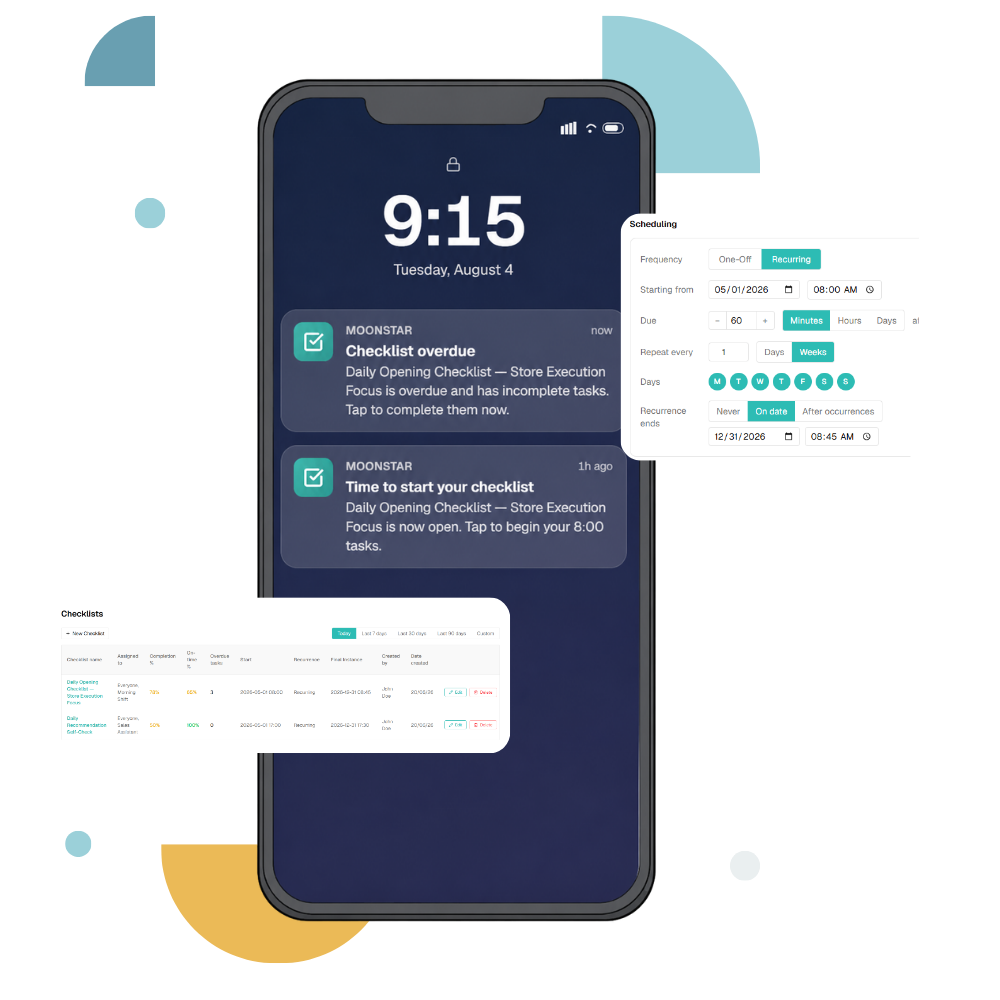
Most store standards live in a binder, a WhatsApp message or a manager’s head. Build them into recurring checklists, scheduled to appear when the shift needs them, assigned to the right teams.
- Flexible recurrence — daily, weekly or monthly, on chosen days, with a due window measured in minutes, hours or days
- Assigned by team, delivered by location — every unit gets its own instance of the routine
- Notifications that land at the right moment — when a checklist opens, and again if it becomes overdue
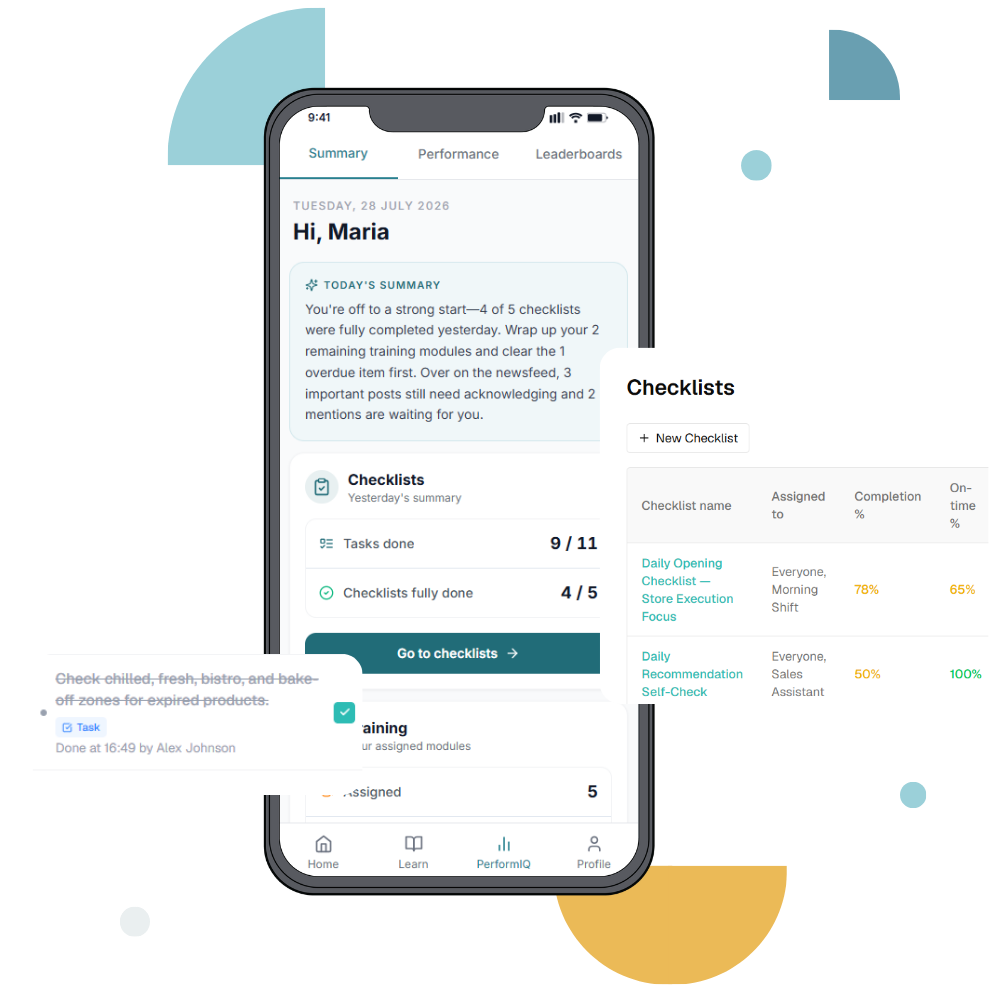
See completion across every unit, in real time
Filter activity by date range, location and status. Sort by task, completion time or the person who completed it. Export the results for review meetings.
- Four statuses that mean different things — completed, pending, overdue and not completed, so you can tell a store running late from a store that skipped the check entirely
- Attributed and time-stamped — every completed task records who did it and when
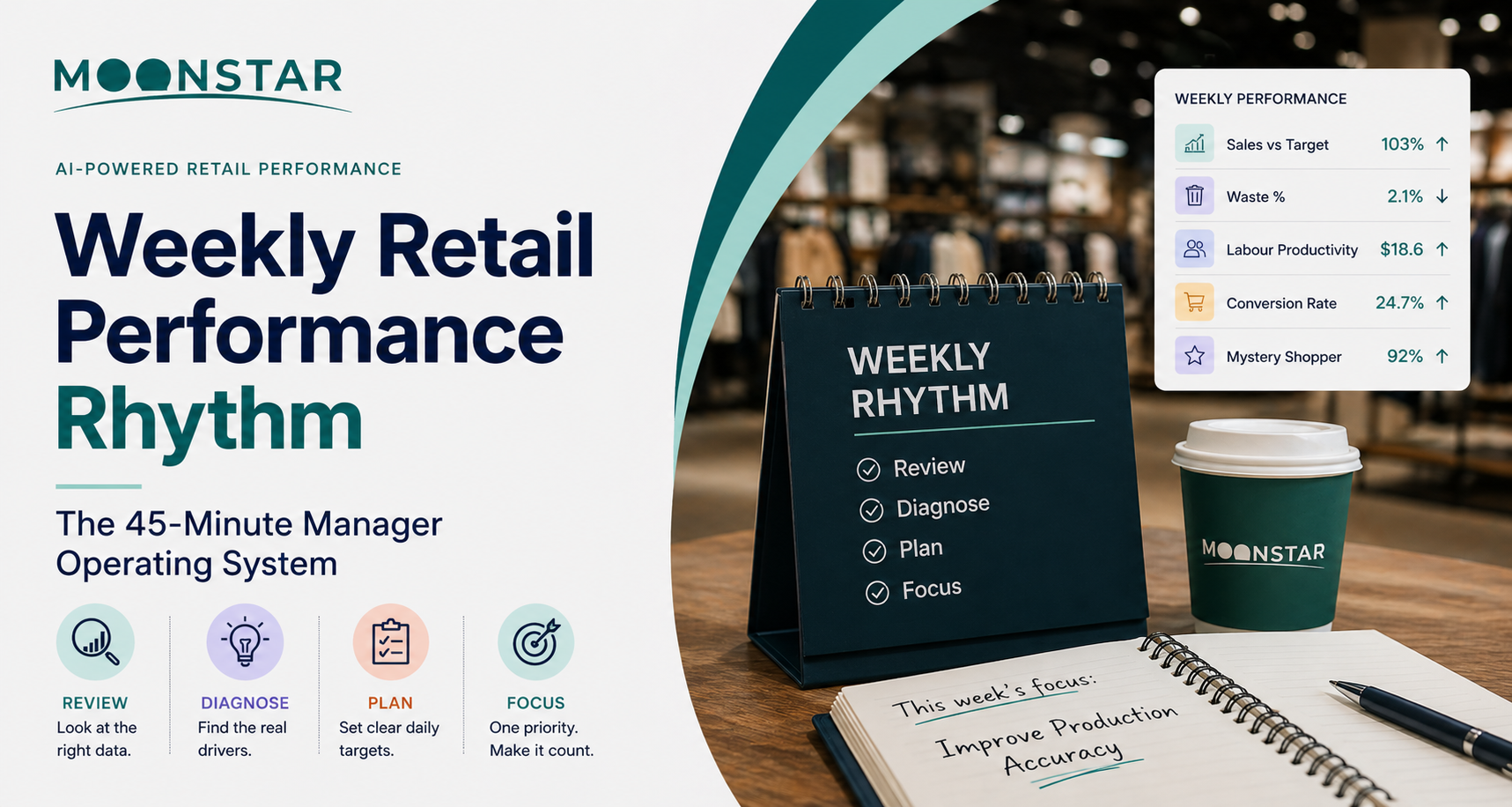
- Weekly, monthly and quarterly views — for the operating rhythm your review meetings already run on


Execution isn’t a compliance number. It’s a performance lever.
Checklist completion sits inside Moonstar’s Performance module, alongside other essential daily store behaviors and alongside the very KPIs it influences.
When it drops, AI insights flag it and micro-learning delivers the skill behind the standard. A missed check becomes coaching, not a reprimand.
- Checklist completion tracked as a KPI, against target, week on week
- Visible in the same app store teams use for sales performance and leaderboards
- Linked to micro-learning — the behaviour behind the check gets trained, not just recorded
Built for operators from ten stores, not a thousand
Most retail execution software is designed for enterprise chains — long implementations, dedicated operations teams, and pricing to match. Moonstar is built for the operators in between: growing chains from ten locations upward, where the owner or operations director is still close to the stores but can no longer be in all of them each week.
- Live in weeks, not quarters — no dedicated project team required
- One app your teams already use — checklists sit alongside communication, learning and recognition rather than adding a separate tool
- No minimum estate size beyond ten stores — the platform scales with you rather than requiring you to scale into it
See what our customers have to say about Moonstar
“In fifteen years of running stores, I’ve rarely seen the standard itself be the problem. Most businesses have manuals, training and checklists — the real challenge is making sure those standards happen consistently on the floor, every shift and every day. Moonstar helps close that gap by putting the right priorities in front of the people who can act on them, while giving leaders a clear view of what is actually happening across every location.”
 Tomasz Bojko
Chief Operating Officer, Ana Pan
Ex Operations Manager Pret a Manger UK
Retail execution, connected to performance, learning and communication





Retail Execution Software & Checklists FAQs
Retail execution software helps multi-site retailers make sure in-store standards are carried out consistently across every location. It typically covers store visits and audits, task and checklist management, merchandising and promotion compliance, and reporting on what was completed. Moonstar adds a performance layer: completion data sits alongside store KPIs rather than in a separate compliance system.
Retail execution software is used by store managers, area and regional managers, and retail operations teams responsible for consistency across multiple locations. In Moonstar, store teams complete checklists on mobile while head office and area managers monitor completion across the estate — so both sides work from the same record rather than reconciling reports.
Retail execution software generally becomes worth it at around ten locations. Below that, an owner or operations manager can hold the standard in their head and check it in person on a regular rotation. Above it, the gap between what head office believes is happening and what is actually happening in each store widens faster than manual reporting can close it — and the cost of one missed promotion setup across ten stores already exceeds the cost of the software. Moonstar is designed for operators from ten locations upward.
Checklists are built in the Moonstar admin portal by your own team — not by us, and not by IT. Name the checklist, add tasks in the order you want them completed, and choose a task type for each. Any task can be marked required, so the checklist can’t be submitted until it’s answered.
Then assign it to one or more user groups and set the schedule: one-off or recurring, with a start time, a due window, and notifications when it opens or runs late.
Retail task management differs from a general task app by assigning recurring work to locations rather than to individuals, so the same routine runs in every store on the right schedule and completion is measured by unit as well as by person. For a multi-site operator the question is rarely “did Maria do it?” and almost always “did all 60 stores do it? And who from the staff completed each task, by which time?”
Yes — Moonstar verifies merchandising and promotion setup through photo upload tasks. Store teams capture the shelf, display or promotional setup and attach notes. Photos are time-stamped and attributed to the employee who submitted them, and appear in the activity view alongside the rest of the checklist for review across locations.
A Moonstar checklist can include four task types: a simple check, a free-text response, a single-choice selection from a defined list, and a photo upload. Any task can be set as required, meaning it must be answered before the checklist can be completed.