
Store Visits and Retail Audits, Without the Paperwork
Run every store visit from a phone or tablet. Results land the moment they’re submitted — down to the individual question, with photo evidence and comments attached and nothing waiting in someone’s folder for a week.
Trusted by 10,000+ global users









By turning store visits into structured checklists, Moonstar closes the gap between what head office believes is happening and what actually is.

Area & District Managers

Store Managers

Operations Directors
How it works
1. Plan
Know which stores need you this week
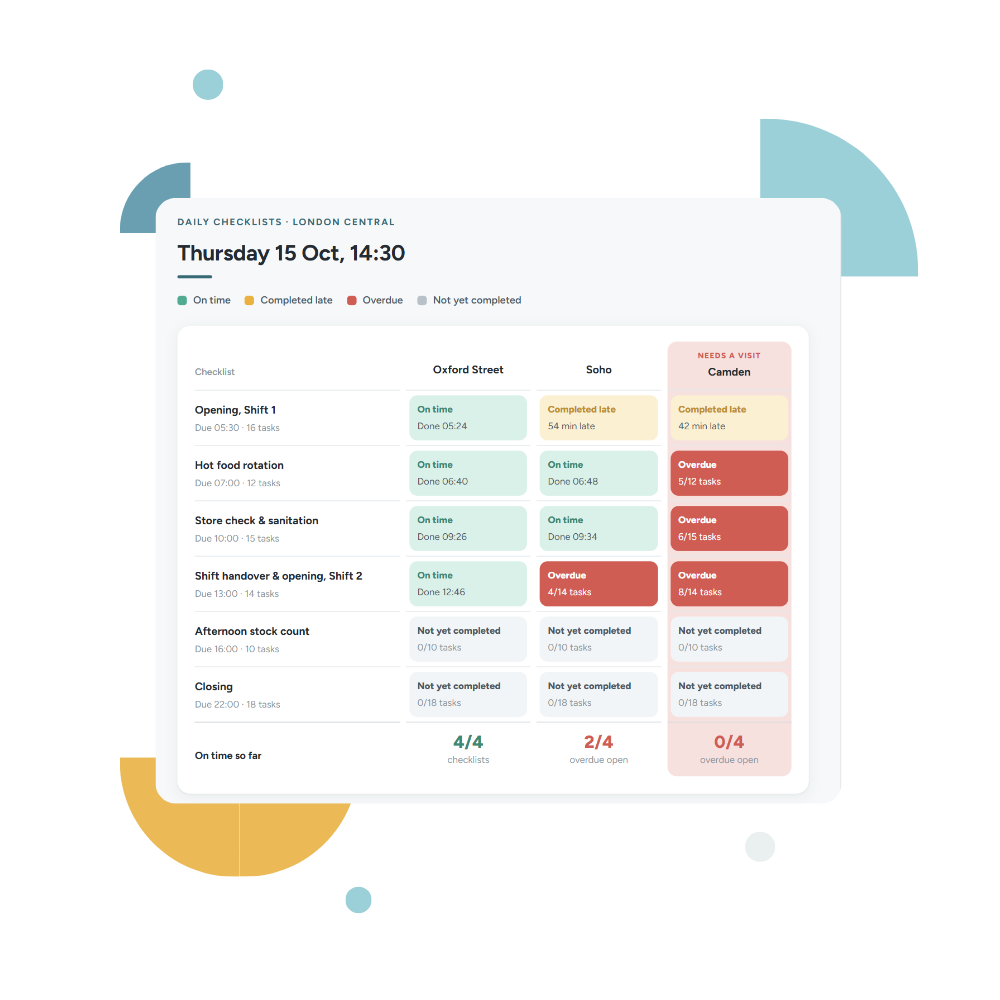
Live KPIs and checklist completion by location, in one view. See which sites are drifting before you set the week’s route, and whether last month’s issue was ever resolved. AI insights flag what’s most at risk.
2. Visit
The same standard in every store, every visit
Visits run from predefined checklists. Schedule them as a one-off or on a recurring interval. The checklist is completed in the app, in order, with progress visible as it goes. Photos and comments are captured in the moment rather than emailed later.

3. Report
The score is ready before you leave the store
Scores calculate the moment the checklist is submitted and the store manager sees the same result, not a summary a week later.
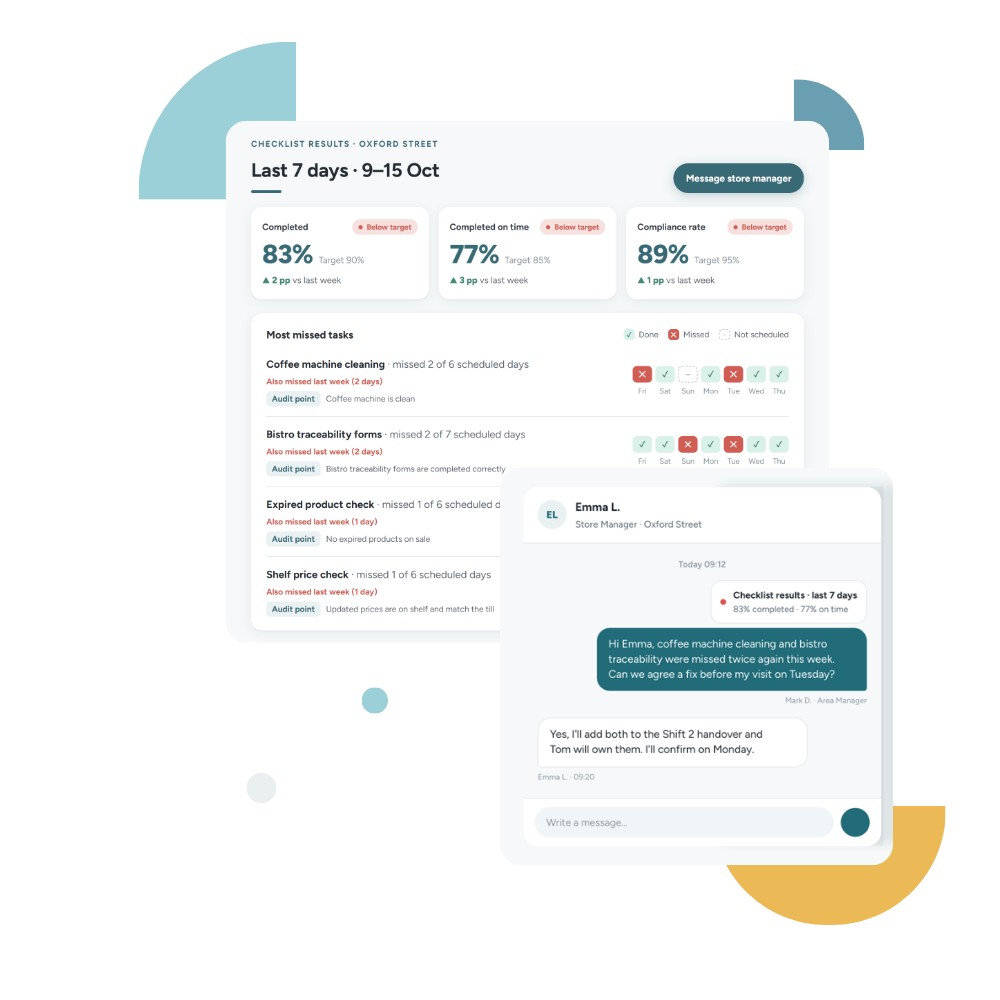
Results break down by question, so the store sees what it got right as clearly as what it missed. Across the company, completion and on-time rates by unit show where standards are quietly drifting.
4. Follow up
The conversation happens where the team already is
Follow-up is a conversation, not a ticket. From the result, the area manager opens a one-to-one chat with the store manager to agree what changes before the next visit — in the same app the store team already uses, with the history in one thread rather than scattered across personal phone numbers.
Then what?
An audit that changes something
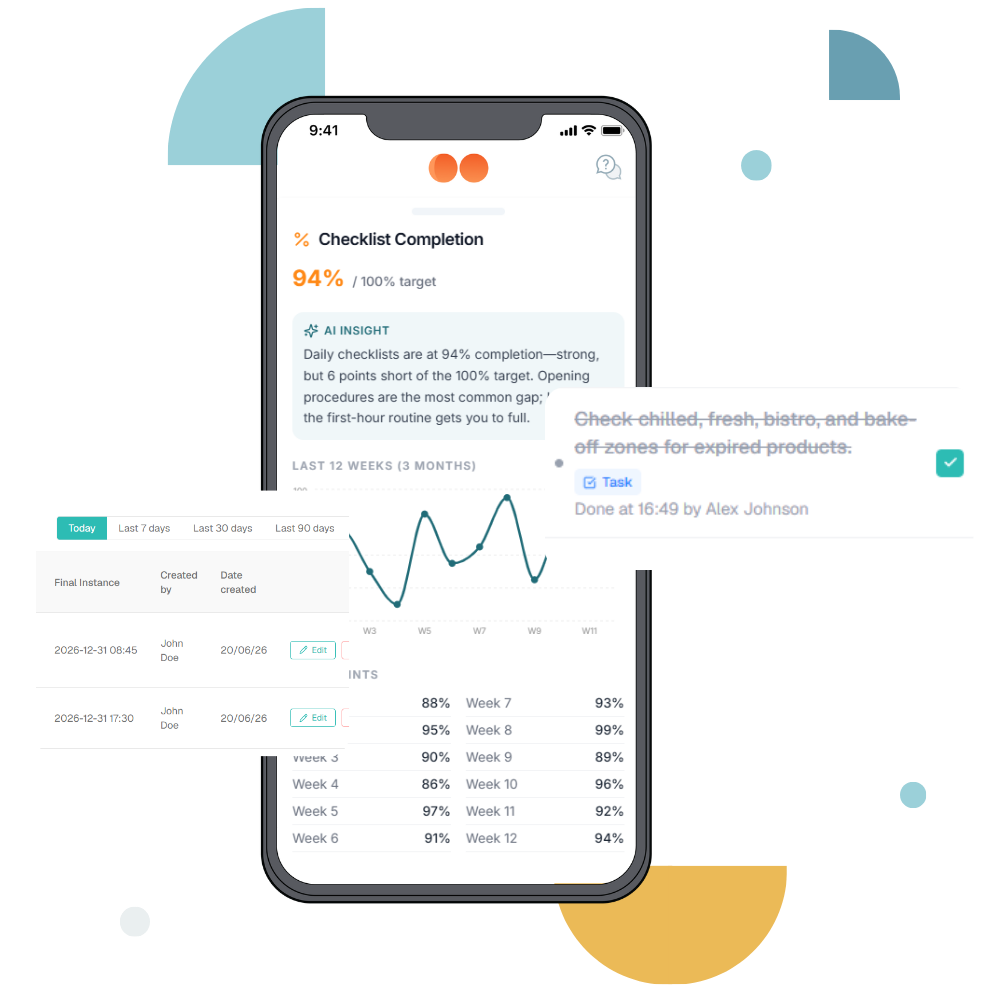
Most audit tools stop at the report. In Moonstar, checklist completion sits inside the Performance module alongside the commercial KPIs for the same store, so a drop in standards shows up next to the numbers it affects, and AI insights flag it as a priority for the week.
When a store fails the same check repeatedly, micro-learning delivers the skill behind the standard to the people involved. The audit becomes coaching rather than a scolding, and you can see whether the fix held on the next visit.

We’ll let customers do the talking for us
“In fifteen years of running stores, I’ve rarely seen the standard itself be the problem. Most businesses have manuals, training and checklists — the real challenge is making sure those standards happen consistently on the floor, every shift and every day.”
 Tomasz Bojko
Chief Operating Officer, Ana Pan
Ex Operations Manager, Pret a Manger UK
What powers store visits
A visit only matters if something changes afterwards.
Frequently Asked Questions
A store visit report is the record an area or district manager produces after visiting a location, covering what was checked, what met standard and what needs fixing. Traditionally it’s a paper form or spreadsheet typed up afterwards. In Moonstar it’s a structured checklist completed on mobile, so the report exists the moment the visit ends and reports down to the individual question rather than a single overall score.
A store visit checklist typically covers merchandising and display standards, stock availability and gaps, cleanliness and safety, promotional setup, team readiness and staffing, and any open actions from the previous visit. The most useful checklists mix simple pass/fail checks with scored questions and photo evidence, so the report captures both the standard and what the store actually looked like.
A retail audit is a structured assessment of whether a store is operating to the standards the business has set — covering merchandising, pricing accuracy, stock, compliance, cleanliness and process adherence. Audits are usually run by area managers, regional teams or external auditors on a recurring schedule, and produce a score plus a list of actions.
A store visit is broader and more frequent: an area manager spends time in a location, coaches the team and checks standards informally alongside formal ones. A retail audit is a formal, scored assessment against a fixed set of criteria, run less often and usually with evidence requirements. Many operators run both, with the audit checklist forming part of a periodic visit.
A retail audit checklist usually covers five areas: merchandising and planogram adherence, pricing and promotional accuracy, stock availability and backroom condition, health, safety and cleanliness, and team standards including uniform and training currency. Each item is scored, and evidence — normally a photo — is attached where a claim needs verifying.
Most multi-site retailers run a full store visit monthly per location, with a shorter weekly check for higher-volume or underperforming sites. The right frequency depends on how far standards drift between visits — if problems found on a visit have usually recurred by the next one, visits are too far apart or the follow-up is too weak.
Yes. Moonstar store visits and audits are completed in the mobile app on the manager’s own phone or tablet, with photo capture built in. There’s no paperwork to type up afterwards and no separate device to carry — results are visible to head office as soon as the checklist is submitted.
In Moonstar, follow-up happens as a conversation: the area manager opens a one-to-one chat with the store manager from the result, in the same app the store team already uses. Because checklists recur, the same check comes back on the next cycle, so whether the fix held shows in the result rather than in anyone’s memory. Reporting shows completion rates, on-time rates and overdue counts per unit, and because checklist results sit alongside store KPIs, a persistent standards gap stays visible next to the commercial numbers for the same store.